Exam Module 2 : Suggestions with Answer

Descriptive Questions & Answer
Module-2
Chapter-I
1). What is relational database? Components of relational database.
Relational database: A relational database is a collection of relations or two-dimensional tables.

Components of the Relational Model:
        Collections of objects or relations that store the data
        A set of operators that can act on the relations to produce other relations
        Data integrity for accuracy and consistency
2). Write down the purpose of data model.
                Purpose of data model:
                    Communicate
        Categorize
        Describe
        Specify
        Investigate
        Evolve
        Analyze
        Imitate

3). Write down the key components of ER Modeling.
                Components of ER Modeling:
1.       Entity: A thing of significance about which information needs to be known.
2.       Attribute: Something that describes or qualifies an entity.
3.       Relationship: A named association between entities showing optionality and degree.
4). Write down the guidelines of Primary key and Foreign key.
                Guidelines for Primary Keys and Foreign Keys:
        You cannot use duplicate values in a primary key.
        Primary keys generally cannot be changed.
        Foreign keys are based on data values and are purely logical (not physical) pointers.
        A foreign key value must match an existing primary key value or unique key value, or else it must be null.
• A foreign key must reference either a primary key or a unique key column.
5). Write down the name of various SQL statements
SELECT
Data manipulation language (DML)
GRANT
Data control language (DCL)
INSERT
REVOKE
UPDATE
COMMIT
Transaction control
DELETE
ROLLBACK
MERGE
SAVEPOINT
CREATE
RENAME
Data definition language (DDL)
ALTER
TRUNCATE
DROP
COMMENT
Chapter-1
1. Capabilities of SQL select statements.
                Projection: Choose the columns in a table that are returned by a query.
Selection: Choose the rows in a table that are returned by a query.
Joining: Bring together data that is stored in different tables by specifying the link between them.
2.  Writing SQL Statements.
                Writing SQL Statements:
        SQL statements are not case-sensitive (unless indicated).
        SQL statements can be entered on one or many lines.
        Keywords cannot be split across lines or abbreviated.
        Clauses are usually placed on separate lines for readability and ease of editing.
        Indents should be used to make code more readable.
        Keywords typically are entered in uppercase; all other words, such as table names and
        Columns, are entered in lowercase.
3. Operator Precedence and Rules of Precedence?
Operator Precedence: If an arithmetic expression contains more than one operator, multiplication and division are evaluated first. If operators in an expression are of the same priority, then evaluation is done from left to right.
Rules of Precedence:
• Multiplication and division occur before addition and subtraction.
• Operators of the same priority are evaluated from left to right.
• Parentheses are used to override the default precedence or to clarify the statement
4. What is Defining a null Value?
Null Value: A null is a value that is unavailable, unassigned, unknown, or inapplicable. A null is not the same as a zero or a space. Zero is a number, and a space is a character.
5. Defining a column alias?
A column alias is
ü  Renames a column heading
ü  Is useful with calculations
ü  Immediately follows the column name
Chapter 2
1). Write down the elements of where clause?
                Elements of where clause:
• Column name
• Comparison condition
• Column name, constant or list of values
 2). Write down the comparison condition operators and their uses?
Operator
Meaning
=
Equal to
> 
Greater than
>=
Greater than or equal to
< 
Less than
<=
Less than or equal to
<> 
Not equal to
BETWEEN …AND…
Between two values (inclusive)
IN(set)
Match any of a list of values
LIKE
Match a character pattern
IS NULL
Is a null value

3). Write down the characteristics and uses of like condition?
                Characteristics:
        Use the LIKE condition to perform wildcard searches of valid search string values
        Search conditions can contain either literal characters or numbers
        You can combine pattern-matching characters
        You can use the ESCAPE identifier to search for the actual % and _ symbols
Uses: You may not always know the exact value to search for. You can select rows that match a character pattern by using the LIKE condition.
4). Write down the logical condition operators name and uses?
Operator
Meaning
AND
Returns TRUE if both component conditions are true
OR
Returns TRUE if either component condition is true
 NOT
Returns TRUE if the following condition is false
               
5). Write down the Operator rules of precedence?
Operator
Meaning
1
Arithmetic operators
2
Concatenation operator
3
Comparison conditions
4
IS [NOT] NULL, LIKE, [NOT] IN
5
[NOT] BETWEEN
6
Not equal to
7
NOT logical condition
8
AND logical condition
9
OR logical condition
               

Chapter-3


1. Use of SQL Functions?
   ü  Perform calculations on data
   ü  Modify individual data items
   ü  Manipulate output for groups of rows
   ü  Format dates and numbers for display
   ü  Convert column data types
2. Single-row Functions and multiple row functions?
Single-Row Functions: These functions operate on single rows only and return one result per row.
Multiple-Row Functions: Functions can manipulate groups of rows to give one result per group of rows.
3. General Function?
   ü  NVL
   ü  NVL2
   ü  NULLIF
   ü  COALESCE
   ü  CASE
   ü  DECODE
4. Character Functions?
Character functions can be divided into the following:
A.      Case-manipulation functions
1.       LOWER
2.       UPPER
3.       INITCAP
B.      Character-manipulation functions
1.       CONCAT
2.       SUBSTR
3.       LENGTH
4.       INSTR
5.       LPAD
6.       RPAD
7.       REPLACE
8.       TRIM
5. Arithmetic with dates?
A.      ROUND
B.      TRUNC
C.      MOD

Chapter -4

1). What are Group Functions?
                Group Functions: Group functions operate on sets of rows to give one result per group.
2). Mention the types of Group Functions.
            1.       AVG
            2.       COUNT
            3.       MAX
            4.       MIN
            5.       STDDEV
            6.       SUM
            7.       VARIANCE
3). Describe the three Fomats of Count Function.
a.       COUNT (*)
b.      COUNT (expr)
c.       COUNT (DISTINCT expr)
4). What are the Guidelines of Group By clause?
1.       Using a WHERE clause, you can exclude rows before dividing them into groups.
2.       You must include the columns in the GROUP BY clause.
3.       You cannot use a column alias in the GROUP BY clause.
4.       If you include a group function in a SELECT clause, you cannot select individual results as well, unless the individual column appears in the GROUP BY clause. You receive an error message if you fail to include the column list in the GROUP BY clause.
5). What are the illegal queries using Group Function?
ü  You cannot use the WHERE clause to restrict groups.
ü  You use the HAVING clause to restrict groups.
ü  You cannot use group functions in the WHERE clause.

Chapter- 5
1. Types of Joins.

1)      Cross joins
2)      Natural joins
3)      USING clause
4)      Full (or two-sided) outer joins
5)      Arbitrary join conditions for outer joins

2. Creating Joins with the USING Clause.
1.       Use the USING clause to match only one column when more than one column matches.
2.       Do not use a table name or alias in the referenced columns.
3.       The NATURAL JOIN and USING clauses are mutually exclusive.
4.       If several columns have the same names but the data types do not match, the NATURAL JOIN clause can be modified with the USING clause to specify the columns that should be used for an equijoin.
3. Qualifying Ambiguous Column Names.
1.       Use table prefixes to qualify column names that are in multiple tables.
2.       Use table prefixes to improve performance.
3.       Use column aliases to distinguish columns that have identical names but reside in different tables.
4. Using Table Aliases.
1.       Use table aliases to simplify queries.   2. Use table aliases to improve performance.
5. Creating Joins with the ON Clause.
1.       The join condition for the natural join is basically an equijoin of all columns with the same name.
2.       Use the ON clause to specify arbitrary conditions or specify columns to join.
3.       The join condition is separated from other search conditions.
4.       The ON clause makes code easy to understand.
Chapter-6
01. What is subquery? In which clauses, it is used?
                A subquery is a SELECT statement that is embedded in a clause of another SELECT statement.
                Subquery usage in this clause:
                1. WHERE Clause
2. HAVING Clause
3. FROM Clause
02. Guidelines of using subqueries?
1.       Enclose subqueries in parentheses.
2.       Place subqueries on the right side of the comparison condition.
3.       The ORDER BY clause in the subquery is not needed unless you are performing Top-N analysis.
4.       Use single-row operators with single-row subqueries, and use multiple-row operators with
multiple-row subqueries.
03. Type of subqueries?
                1. Single row subquery: Queries that return only one row from the inner SELECT statement.
2. Multiple row subquery: Queries that return more than one row from the inner SELECT statement.
Chapter-08
1. What are function(executed) of the DML ?
A DML statement is executed when you:
ü  Add new rows to a table
ü  Modify existing rows in a table
ü  Remove existing rows from a table
2. What are function of TRUNCATE statement ?
Removes all rows from a table, leaving the table empty and the table structure intact.
3. How many types of database transactions ?
                1) Data manipulation language
                2) Data definition language
                3) Data control language
4. When does a transaction start and end ?
1.       A COMMIT or ROLLBACK statement is issued.
2.       A DDL statement, such as CREATE, is issued.
3.       A DCL statement is issued.
4.       The user exits iSQL*Plus.
5.       A machine fails or the system crashes. 
5. Advantage of COMMIT & ROLLBATK statement ?
1.       Ensure data consistency
2.       Preview data changes before making changes permanent
3.       Group logically related operations
Chapter-09
01: Database objects
                a. Table
 b. View
c. Sequence
d. Index
e. Synonym
02: Naming rules: Table names & column names
1.       Must begin with a letter
2.       Must be 1–30 characters long
3.       Must contain only A–Z, a–z, 0–9, _, $, and #
4.       Must not duplicate the name of another object owned by the same user
5.       Must not be an Oracle server reserved word
03: Data types & Guidelines
                Data type:
1. VARCHAR2 2. CHAR 3. NUMBER 4. DATE 5. LONG 6. CLOB 7. RAW & LONG RAW 9. BFILE 10. ROWID
Guidelines:
          A LONG column is not copied when a table is created using a subquery.
          A LONG column cannot be included in a GROUP BY or an ORDER BY clause.
          Only one LONG column can be used per table.
          No constraints can be defined on a LONG column.
          You might want to use a CLOB column rather than a LONG column.
05: Including constraints & Constraints Guidelines
                Including constraints:
a.       Constraints enforce rules at the table level.
b.      Constraints prevent the deletion of a table if there are dependencies.
c.       The following constraint types are valid:
1. NOT NULL 2. UNIQUE 3. PRIMARY KEY 4. FOREIGN KEY 5.CHECK
                Guidelines:
·         You can name a constraint, or the Oracle server generates a name by using the SYS_Cn format.
·         Define a constraint at the column or table level.
·         View a constraint in the data dictionary.
06: Use/Functions the alter table statement
       Add a new column
       Modify an existing column
       Define a default value for the new column
       Drop a column

ডাটাবেজ ডিজাইন এন্ড ডেভেলপমেন্ট – 2

………গত পর্বের পর

Using Arithmetic Operator:
                কলামের সাথে বিভিন্ন গাণিতিক চলক যুক্ত করে হিসাব-নিকাশের কাজ করা হয়। গাণিতিক চলক গুলো নাম্বার ও ডেট নিয়ে কাজ করতে পারে। ওরাকলে ব্যবহিত গাণিতিক চলক সমূহ হল…
Operator
Description
+
Add
Subtract
*
Multiply
/
Divide

  Example:  

   SELECT last_name, salary, 12*salary+100

      FROM   employees;

Concatenation Operator:

                দুইটি Column, Arithmetic Expressions অথবা Constant Value কে সংযুক্ত করতে Concatenation Operator (।।) ব্যবহার করা হয়।  যে দুইটি কলামকে সংযুক্ত করব তার মাঝে এই Operator কে বসাতে হবে।  
            Syntax: SELECT column1 ।। column2 alias from table_name;
Using literal character & Alternative Quote (q) Operator:literal character এবং Alternative Quote এর কাজ প্রায় একই। দুটোই কুয়েরির মাঝে অতিরিক্ত লেখা বা মন্তব্য যোগ করতে ব্যবহার করা হয়। literal character ব্যবহার করে সহজেই দুটি কলামের মাঝে মন্তব্য যোগ করা যায়। এ জন্য দুটি কলামের মাঝে Concatenation Operator (।।) দিয়ে তার মধ্যে আবার String দিয়ে মন্তব্য যোগ করা হয়। String এর মধ্যে প্রায় সব কিছু লিখা গেলেও Quote (‘) mark ব্যবহার করা যায় না। এ ক্ষেত্রে Alternative Quote Operator ব্যবহার করা হয়।
           
Literal character Syntax:
                                                column1 ||’comment‘|| column2
     Alternative Quote Syntax:
                                                Column1|| q'[comment]’ ||column2
(এখানে যে ব্র্যাকেট দিয়ে শুরু করব সেই ব্র্যাকেট দিয়েই শেষ করতে হবে এবং যে কোন ব্র্যাকেট ব্যবহার করা যাবে) 
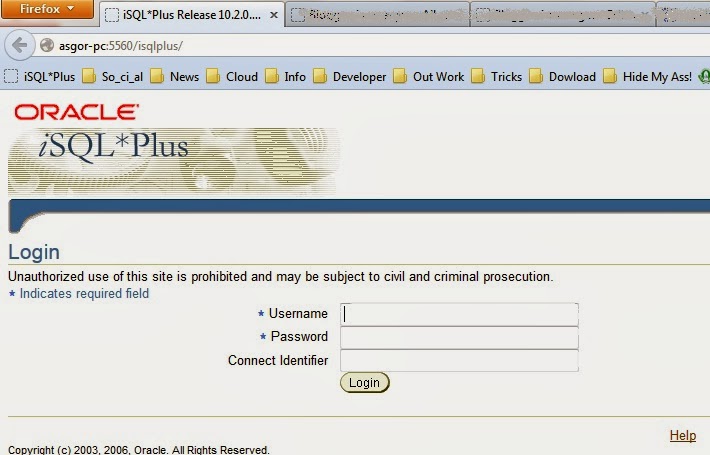
iSQL *Plus Environment
SQL Statement versus iSQL *Plus Commands:
                SQL Statement:  
·         SQL  একটি ল্যাঙ্গুয়েজ
·         SQL  এটি ANSI স্ট্যান্ডার্ড
·         SQL  Keyword সংক্ষিপ্ত করা যায় না
·         ডাটাবেজে SQL Statement ডাটা এবং টেবিল নিয়ে কাজ করে
iSQL *Plus Commands:
·         iSQL *Plus  হল কাজের পরিবেশ
·         iSQL *Plus  এর স্বত্বাধিকারী ওরাকল
·         iSQL *Plus  Command সংক্ষিপ্ত করা যায়
·         Browser-Run করে

  চ্যাপটার ১ সমাপ্ত

ডাটাবেজ ডিজাইন এন্ড ডেভেলপমেন্ট – 1

ডাটাবেজ প্রগ্রামের ধারাবাহিক টিউটোরিয়াল
ভূমিকাঃডাটাবেজ অনেকটা লাইব্রেরীর মত। একটা লাইব্রেরীতে বইগুলো যেমন করে সাজানো থাকে, ঠিক তেমনি করে ডাটাবেজেও তথ্য সাজানো থাকে। যাতে করে ব্যবহারকারী তথ্য সহজেই খুজে পায়। ডাটাবেজ তৈরির জন্য এসকিউএল (SQL) একটি শক্তিশালী প্রোগ্রামিং ল্যাংগুয়েজ। এসকিউএল দিয়ে
ডাটাবেজ তৈরির জন্য কিছু বিভিন্ন সফটওয়্যার ব্যবহার করা হয়। আমি এখানে ওরাকলের ডাটাবেজ সফটওয়্যার ব্যবহার করব। প্র্যাকটিস করার ওরাকল ডাটাবেজের এক্সপ্রেস এডিশন এখান থেকে ডাউনলোড করে নিতে পারেন।

আমার লিসনগুলো ওরাকল সার্টিফাইড প্রোগ্রামার (OCP) পরীক্ষার যে সিলেবাস আছে সে অনুযায়ী সাজানো হয়েছেপ্রথমেই Oracle Database Fundamental I দিয়ে শুরু করছি। লিসন শুরু করার আগে মূল বইটি এখান থেকে ডাউনলোড করে নিন।

Chapter 1 :  Retrieving Data Using the SQL SELECT Statement

এই অধ্যায়ে আমরা যে বিষয় গুলো দেখব
            ১. SQL Select Statement দিয়ে যেসব কাজ করা যায় তার তালিকা
            ২. Select Statement সম্পাদনা
            ৩. SQL Statement এবং iSQL *Plus  Commands এর মধ্যে পার্থক্য

SQL Select Statement দিয়ে যেসব কাজ করা যায়: কোন Database থেকে তথ্য খুঁজে বের করে আনার জন্য Select Statement ব্যবহার করা হয়। Select Statement দিয়ে মূলত তিনটি কাজ করা হয়……
         ১. Projection: কোন টেবিল থেকে এক বা একাধিক কলাম খুঁজে আনতে ব্যবহার করা হয়
         . Selection: কোন একটা টেবিলের রো খুঁজে আনার জন্য ব্যবহার করা হয়
         . Joining: দুইটা টেবিলের ডাটাকে সংযুক্ত করার জন্য ব্যবহার করা হয়।

Basic SELECT Statement:   

  SELECT *|{[DISTINCT] column|expression [alias],…}
  FROM    table;
এখানে,
            Select         = এক বা একাধিক কলামের তালিকা
   *                 = সমস্ত কলাম
            Distin          = ডুপ্লিকেট ভ্যালু বাদ দেবার জন্য ব্যবহার করা হয়
            Column       = কলামের নাম
            Alias            = কলামের হেডিং
            From Table  = টেবিলের নাম
                        ;       = Closing Tag

Example: Select department_id “Departments”
       from departments;

SQL স্টেটমেন্ট এর বৈশিষ্টঃ
            ১.  SQL স্টেটমেন্ট Case sensitive নয়।
            ২. SQL স্টেটমেন্ট এক বা একাধিক লাইনে লিখা যায়
            . SQL স্টেটমেন্টকে সংক্ষিপ্ত বা ভাঙ্গা যায় না
            . Clause গুলো সাধারনত আলাদা লাইনে লিখা হয়।
            ৫. SQL *Plus এ প্রতিটি SQL স্টেটমেন্টর শেষে অবশ্যই সেমিকলন (;) দিতে হবে

Continue………….

Solutions 3: Oracle Database Fundamental I


Oracle Database Fundamental I
 Practice 3 Solutions
                   1.      Write a query to display the current date. Label the column Date.
Solution: select sysdate from dual;

                  2.      The HR department needs a report to display the employee number, last name, salary, and salary increased by 15.5% (expressed as a whole number) for each employee. Label the column New Salary. Place your SQL statement in a text file named lab_03_02.sql.
                  3.      Run your query in the file lab_03_02.sql.
Solution: select employee_id, last_name, salary, salary+(salary*15.5/100) “New Salary”
from employees;
                  4.      Modify your query lab_03_02.sql to add a column that subtracts the old salary from the new salary. Label the column Increase. Save the contents of the file as lab_03_04.sql. Run the revised query.
Solution: select employee_id, last_name, salary, salary+(salary*15.5/100) “New Salary”, (salary+(salary*15.5/100))-salary “Increses”
from employees;
                 5.      Write a query that displays the last name (with the first letter uppercase and all other letters lowercase) and the length of the last name for all employees whose name starts with the letters J, A, or M. Give each column an appropriate label. Sort the results by the employees’ last names.
Solution: select initcap(last_name) “Name”, length(last_name) “Length of Name”
from employees
where last_name like ‘J%’ or last_name like ‘A%’ or last_name like ‘M%’
order by last_name;
Rewrite the query so that the user is prompted to enter a letter that starts the last name. For example, if the user enters H when prompted for a letter, then the output should show all employees whose last name starts with the letter H.
Solution: select initcap(last_name) “Name”, length(last_name) “Length of Name”
from employees
where last_name like ‘&name%’
order by last_name;
                 6.      The HR department wants to find the length of employment for each employee. For each employee, display the last name and calculate the number of months between today and the date on which the employee was hired. Label the column MONTHS_WORKED. Order your results by the number of months employed. Round the number of months up to the closest whole number.
Solution: select last_name, round(months_between(sysdate,hire_date),0) Months_worked from employees
order by 2;
                 7.      Create a report that produces the following for each employee: <employee last name> earns <salary> monthly but wants <3 times salary>. Label the column Dream Salaries.
Solution: select last_name||’ earns $’||salary||’ monthly but wants $’||salary*3 “Dream Salary”
from employees
                8.      Create a query to display the last name and salary for all employees. Format the salary to be 15 characters long, left-padded with the $ symbol. Label the column SALARY.
Solution: select last_name, lpad(salary,15,’$’) Salary
 from employees;
               9.      Display each employee’s last name, hire date, and salary review date, which is the first Monday after six months of service. Label the column REVIEW. Format the dates to appear in the format similar to “Monday, the Thirty-First of July, 2000.”
Solution: select last_name, hire_date, to_char((next_day(hire_date,’Monday’)),’fmday,” the “ddspth “of” month,yyyy’)
     from employees;
            10.  Display the last name, hire date, and day of the week on which the employee started. Label the column DAY. Order the results by the day of the week, starting with Monday.
Solution: select Last_name, hire_date, to_char(hire_date,’Day’) “Day”
from employees
order by to_char(hire_date-1,’d’)
Continue………

Solutions 6: Oracle Database Fundamental I


Oracle Database Fundamental I
 Practice 6 Solutions
                  1.      The HR department needs a query that prompts the user for an employee last name. The query then displays the last name and hire date of any employee in the same department as the
employee whose name they supply (excluding that employee). For example, if the user enters

Zlotkey, find all employees who work with Zlotkey (excluding Zlotkey).

Solution: select last_name, hire_date
from employees
where department_id =
(select department_id from employees where last_name like ‘&name’)and last_name<> ‘&name’;
                  2.      Create a  report that displays the employee number,  last name, and salary of all employees who earn more than the average salary. Sort the results in order of ascending salary.
Solution: select employee_id, last_name, salary
from employees
where salary > (select avg(salary) from employees)
order by salary;
                 3.      Write a query that displays the employee number and last name of all employees who work in a department with any employee whose last name contains a u. Place your SQL statement in a text file named lab_06_03.sql. Run your query.
Solution: select employee_id, last_name
from employees
where department_id in (select department_id from employees where last_name like ‘%u%’);
                  4.      The HR department needs a report that displays the last name, department number, and job ID of all employees whose department location ID is 1700.
Solution: select last_name, department_id, job_id
from employees
where department_id in (select department_id from departments where location_id =1700);
Modify the query so that the user is prompted for a location ID.
Solution: select last_name, department_id, job_id
from employees
where department_id in (select department_id from departments where location_id =&Location);
                5.      Create a report for HR that displays the last name and salary of every employee who reports to King.
Solution: select last_name, salary
from employees
where manager_id in (select employee_id from employees where last_name=’King’);
                6.      Create a report for HR that displays the department number, last name, and job ID for every employee in the Executive department.
Solution: select department_id, last_name, job_id
from employees
where department_id in (select department_id from departments where department_name = ‘Executive’);
                7.      Modify the query in lab_06_03.sql to display the employee number, last name, and salary of all employees who earn more than the average salary and who work in a department with any employee whose last name contains a u. Resave lab_06_03.sql as lab_06_07.sql. Run the statement in lab_06_07.sql.
Solution: select employee_id, last_name, salary
from employees
where salary > (select avg(salary) from employees) and
department_id in (select department_id from employees where last_name like ‘%u%’);
          —————The End—————–